DivMe
Track your monthly spending, no spreadsheets
Log an expense in two taps and see what’s left. What you owe and are owed in shared accounts goes straight to your month.
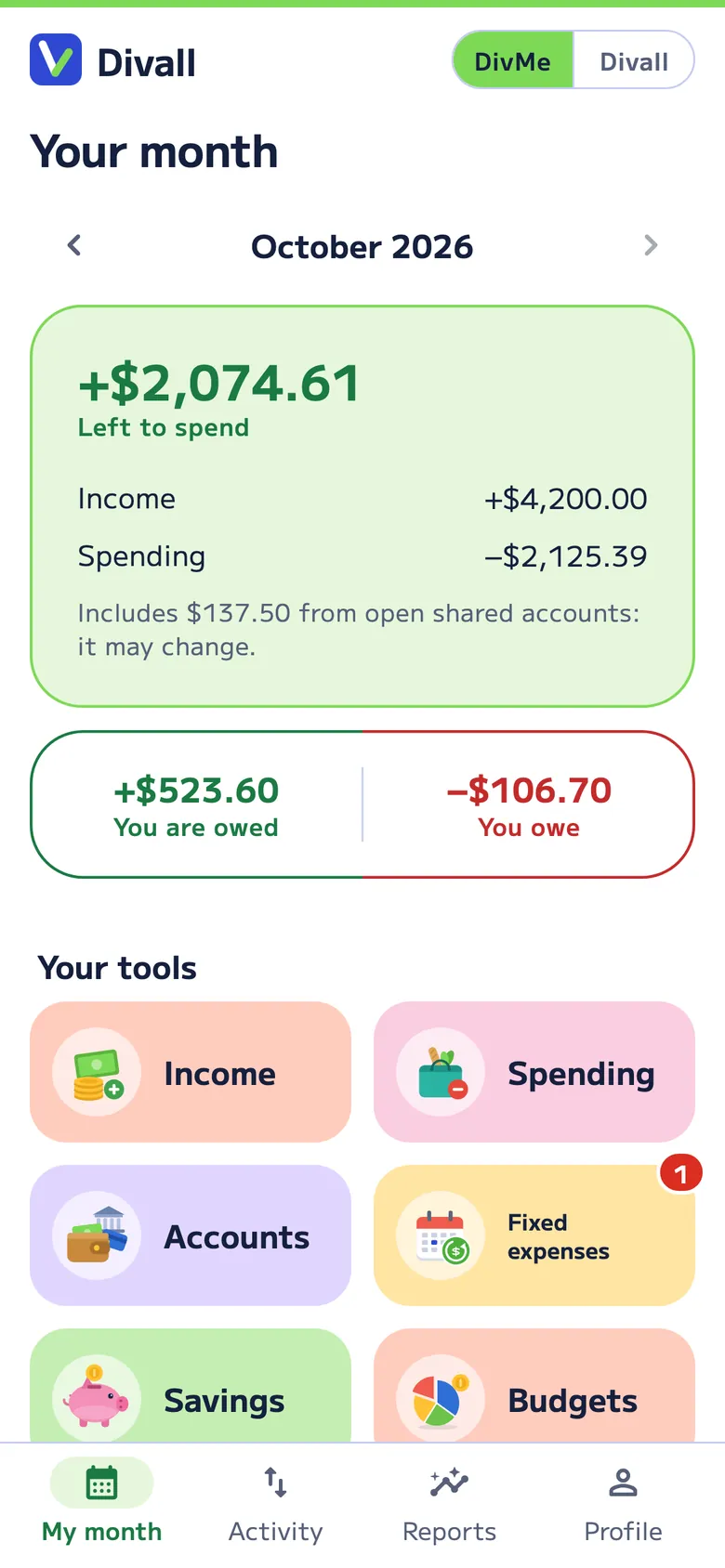
Activity
Every dollar in its category
Every income and expense gets its category and its day. Recurring costs and small spending are tagged on their own, and your share of a dinner or the household comes in from Divall.
- In two taps. Amount, category, done. Works offline.
- Bank statement. Import the Excel or CSV file and review it before adding; anything you already have is flagged so you don’t log it twice.
- Your currency. Each currency has its own month, and they never mix.
Small spending
The small purchases that eat up your month
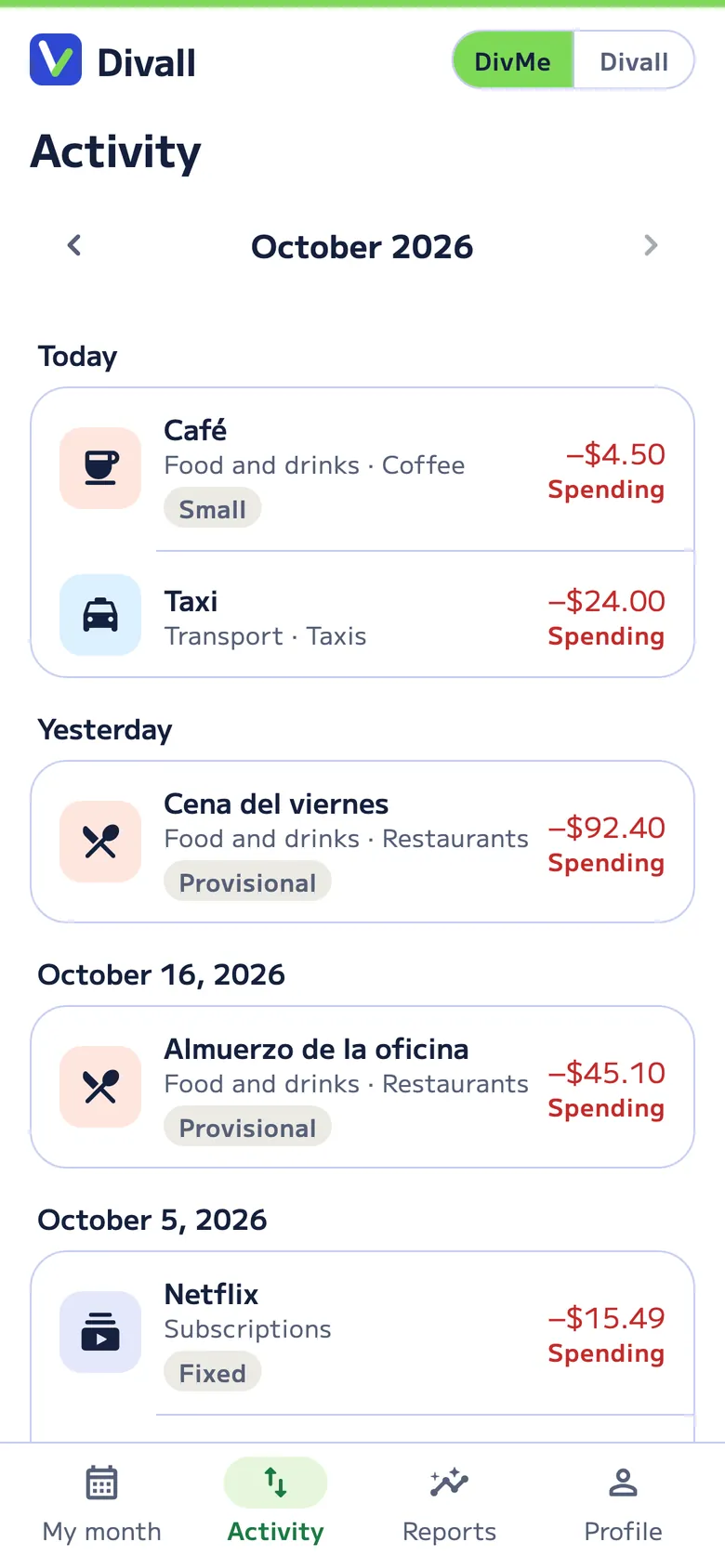
The coffee, the delivery, the snack. On their own they seem like nothing; together they can be a big part of your month. DivMe finds them and tells you what they add up to in a year at this pace.
- Tagged on their own. A small purchase (for example, under $5 in US dollars) that repeats 4 or more times in the month.
- Fixed, variable and small. See how much goes to each.
- Tips. With Divall Pro, ideas to cut them down.
How much do yours add up to? Try the small spending calculator.
Your tools
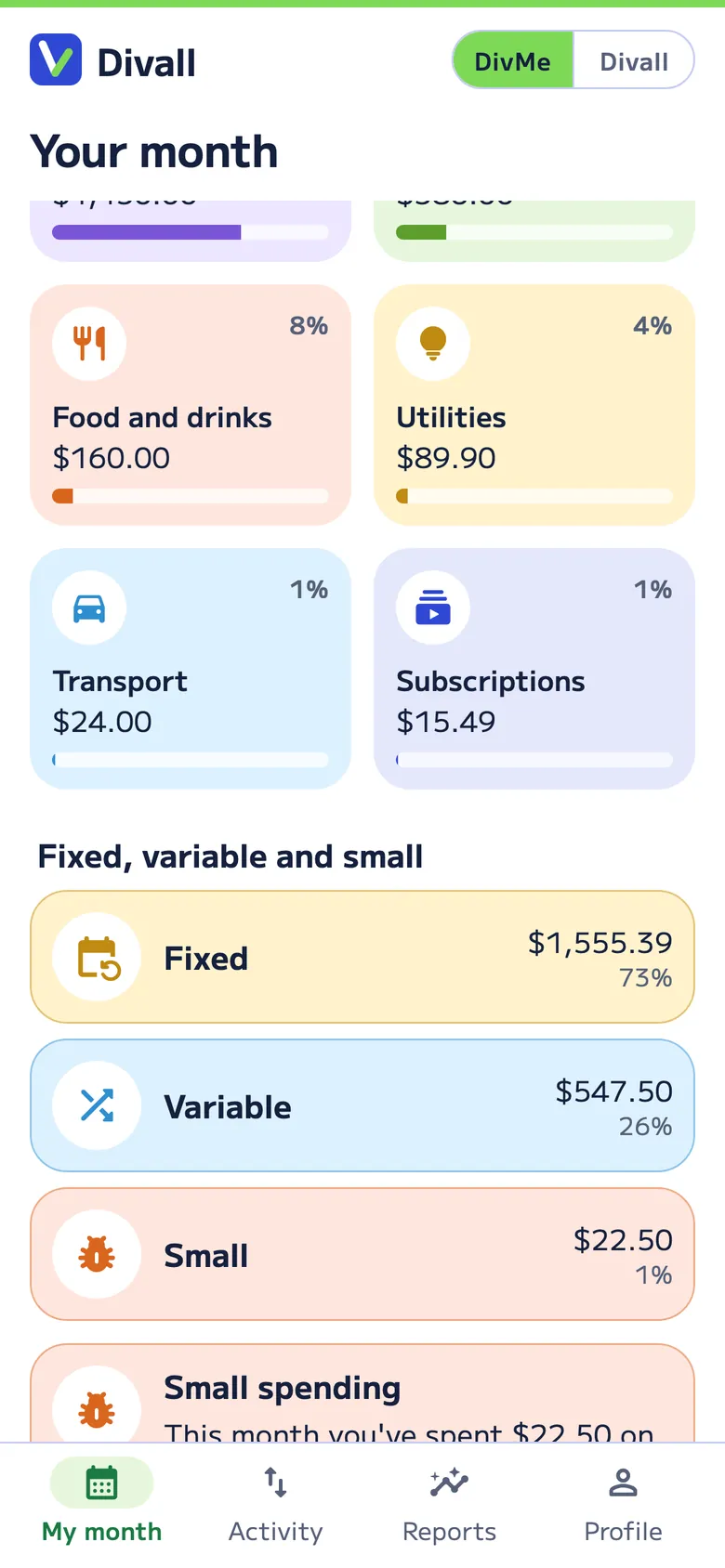
Everything that moves your month
-
Income and spending
What came in, what went out and what’s left, in your currency.
-
Accounts
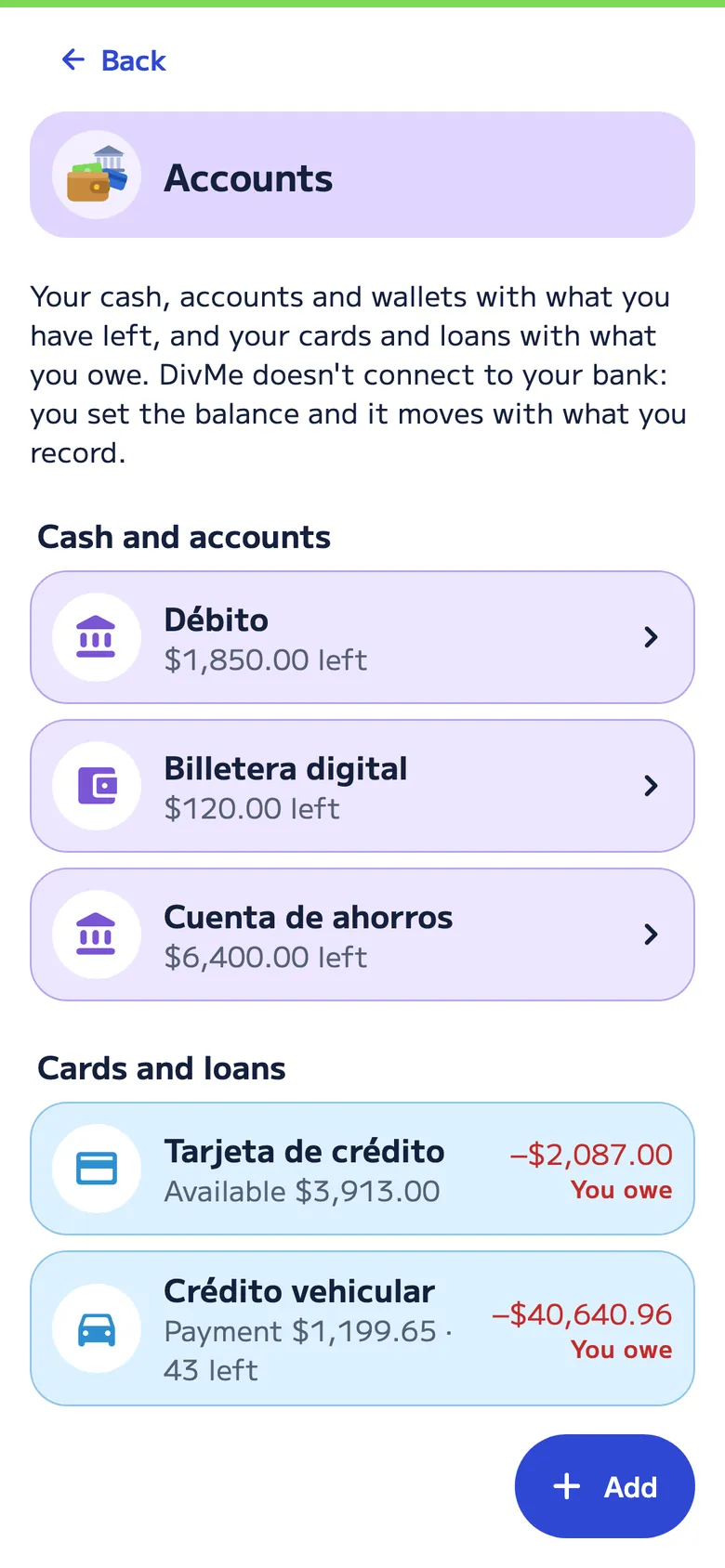
Your cash, accounts and wallets with what you have left. You set the balance and it moves with what you record: DivMe doesn’t connect to your bank.
-
Fixed expenses Pro
Rent, bills, salary and subscriptions. Each time one comes due, we have it ready for you to confirm, and a red number flags the ones due in 3 days or overdue.
-
Cards and loans Pro
In Accounts, with what you owe: installments with their dates and, with the rate and term, the payment, the balance and when you’ll be done paying.
-
Savings and goals Pro
Set money aside for the trip or the emergency fund and see how far you have to go.
-
Budgets Pro
A cap for each category every month. We let you know at 80% and when you go over.
-
Groceries and shopping lists Pro
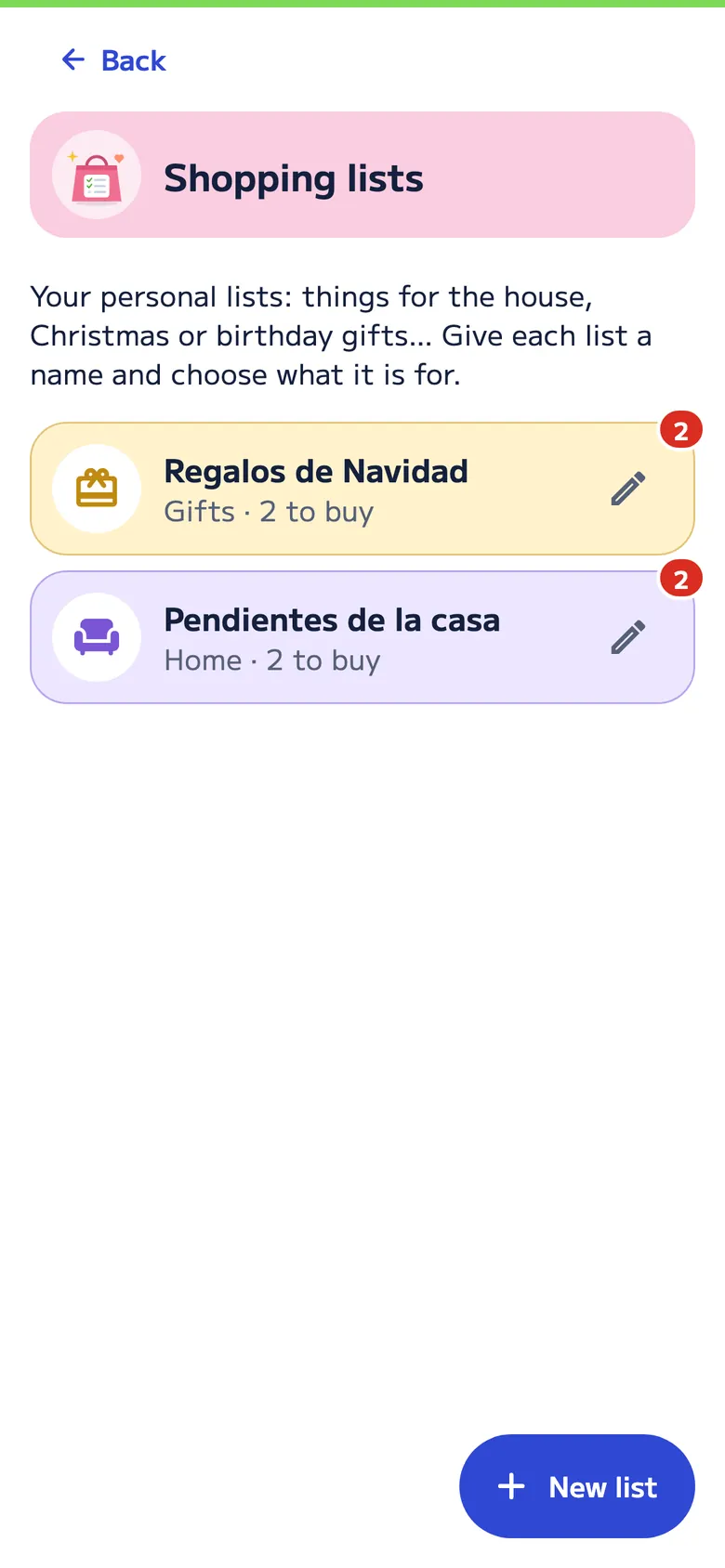
Write down what’s needed, or take a photo of your list: groceries, Christmas gifts or things for the house, with the store link if you like. When you shop, you enter one amount for everything and it goes to your month; a red number shows how many things are left.
-
Reports
Where your money went, and this month vs. last month. With Pro, trends and how you’d end the month, at your pace or with the daily maximum you set.
-
Owed to you and you owe
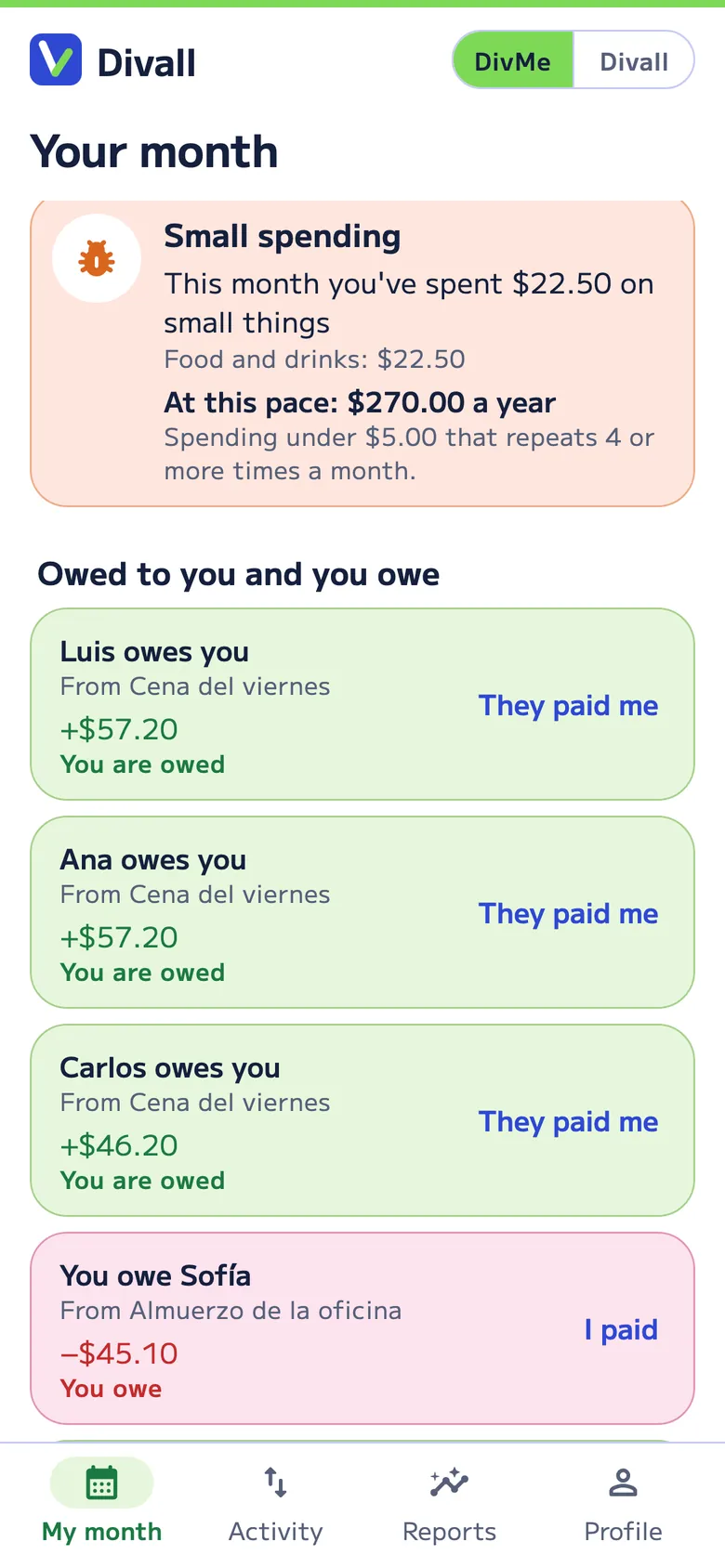
Your share in shared accounts, with “They paid me” to mark it.
-
Owed to me & I owe
What you lent someone and what you borrowed, with each repayment. The lender confirms each payment and, if you pick an account, its balance moves without counting as spending or income. Free for up to 3 open.
-
Your history with AI Pro
Kept your month in Excel? On the web, upload it (or a PDF, a CSV, a text file or a photo of a list), review what the AI understood and your transactions move into DivMe without repeating the ones you already had.
-
Widget
From your home screen, one tap and you’re adding income or spending. For everyone, on iPhone with iOS 17 or later and on Android, and it never shows amounts.
DivMe and Divall, connected
What you share goes straight to your month
If you paid for Friday’s dinner, DivMe shows that Carlos owes you $46,200, and you mark it when he pays you. If someone else paid, your share is already in your month as spending. No need to log it twice.
Only you see your DivMe. In a shared account, everyone sees what’s in that account and nothing from your month.
Your money and your shopping
Accounts, groceries and lists
In Accounts you see your cash, accounts and wallets with what you have left, and your cards and loans with what you owe. In Groceries and Shopping lists you write down what’s needed and, when you shop, enter one amount for everything.
- You set the balance. DivMe doesn’t connect to your bank: the balance moves with what you record.
- Lists with a name and a type. Gifts, home, personal items, clothes, tech, pets, travel or other.
- Red numbers. They show how many things are left to buy and which fixed expenses are due.
- Free and Pro. Cash, debit and wallets are free; cards and loans, groceries and lists come with Divall Pro.
Also in your browser Pro
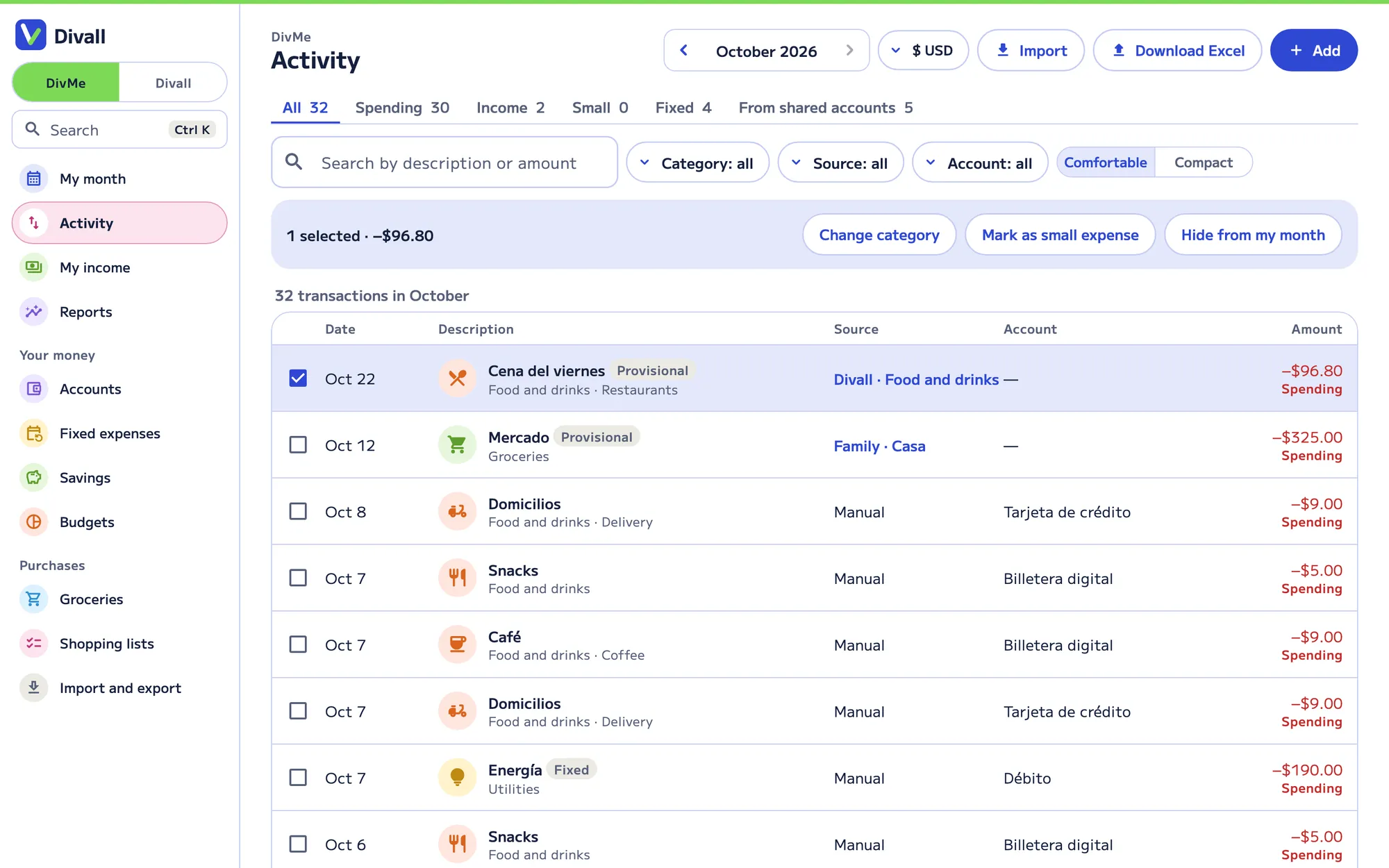
Your activity, in a table
DivMe on your computer, with the same data as your account: search, filter by category or account, change several at once, import your statement and download to Excel. Plus reports with budget vs. spending (50/30/20), a calendar of your fixed expenses and your accounts with what you have and what you owe.
Free and Pro
Start for free
Free
Log income and spending for the current month, keep your accounts (cash, debit and wallets) with their balance, get your share of shared accounts and read 10 receipts or bills with AI every 30 days.
Divall Pro
Your full history and comparisons, cards and loans, savings, budgets and fixed expenses with alerts, groceries and shopping lists, small-spending tips, advanced reports and DivMe on the web.
FAQ
About DivMe
Who sees my DivMe?
Only you. In shared accounts, each person sees what’s in that account and nothing from your personal month.
If I pay the whole bill and friends pay me back, does it count as income?
No. In DivMe only your share counts as spending; what others owe you shows under “You are owed”, and when they pay, “They paid me” records it as a transfer that closes the debt, not as income. So what people pay you back doesn’t inflate your income.
Does it connect to my bank?
It doesn’t connect to your bank. You can import your statement as an Excel or CSV file and review each transaction before adding it; anything you already have is flagged so you don’t log it twice.
What counts as small spending?
A small purchase that repeats many times, like coffee or delivery. In DivMe it counts when it repeats 4 or more times in the month, and each currency has its own threshold.
Does it work in another currency?
Yes. Each currency has its own month and its own report, and they never mix. You choose your month’s currency in Profile.
And what you share
Divall splits the bills
-

Food and drinks
Breakfasts, lunches, dinners and coffees: what you order, who had it and who paid, and the tip.
-

Nights out
A night out, the bar or a party: several costs paid by different people, and groups that only pay their own.
-

Vacation Pro
Costs by day, kids who pay half, families who pay together, costs in another currency and the trip’s groceries.
-

Family and roommates Pro
The household month: rent and bills that add themselves, groceries, a budget and closing the month.
-

Gifts
The list of what to buy, who buys it and how much each person chips in.
-

Events
The barbecue or family get-together: who brings what and how the accounts end up.