Family and roommates
Your household accounts, clear every month
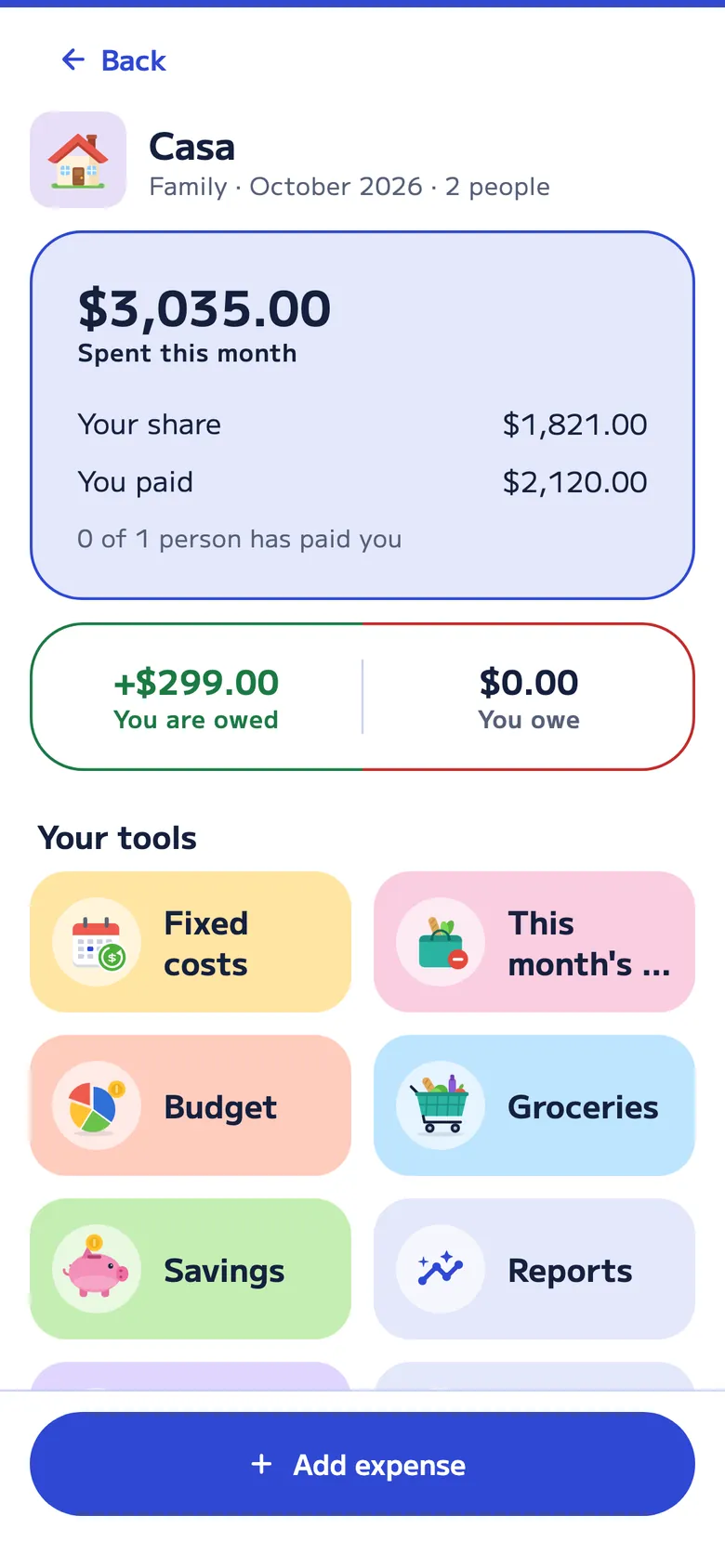
Rent, bills, groceries and whatever comes up. Divall keeps track of the household month with the split you agreed on, and shows who pays whom when you close the month.
How it works
One agreement for the whole household
When you create the account, you say how you split costs. It applies to everything, and you can change it on any expense.
-
Equal parts
Everyone pays the same. The most common choice among roommates.
-
By percentages
For example, 60% and 40% based on income. The most common choice for couples or families.
-
Expense by expense
If something is just for one person or a few, change it on that expense and the rest still follows the agreement.
The household month
Recurring costs, budget and closing the month
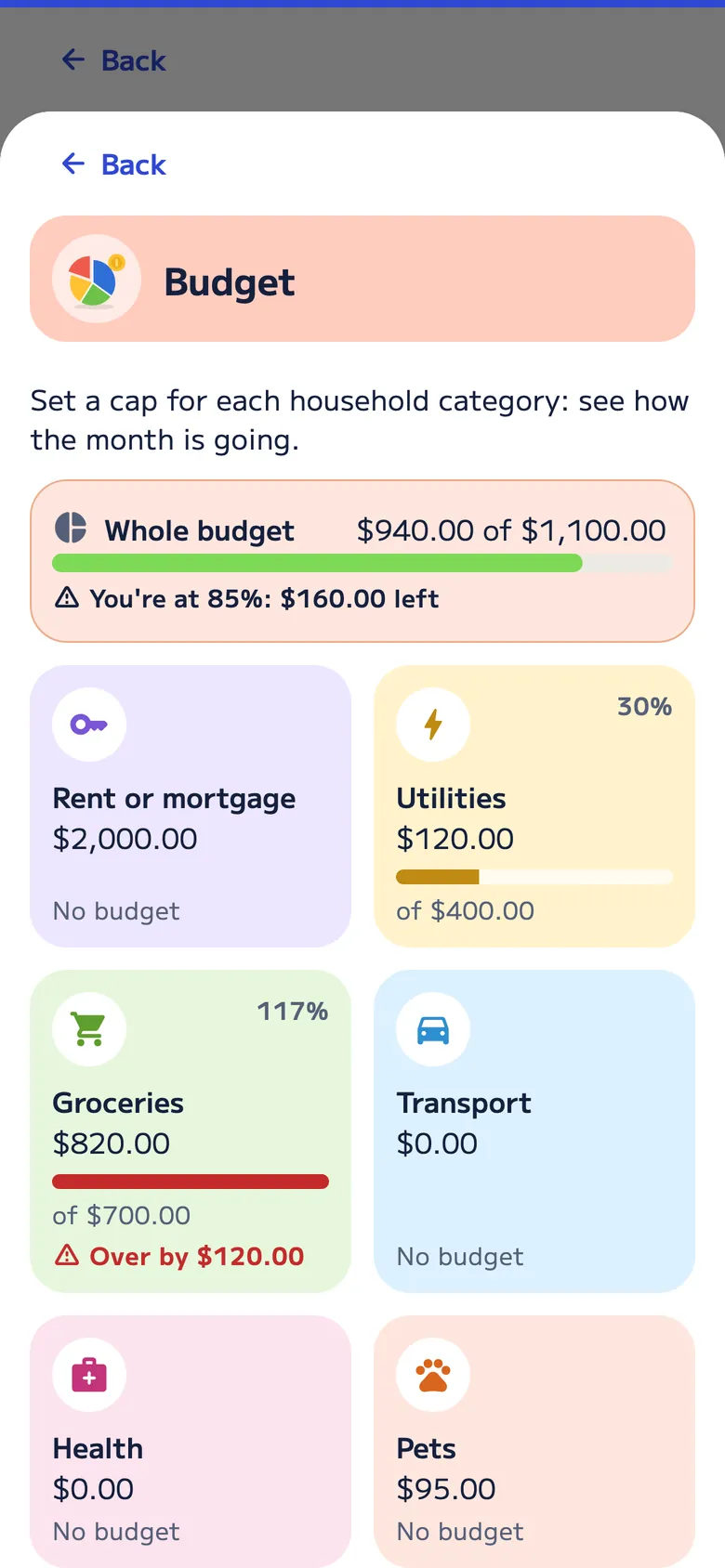
The household account runs by month. What repeats adds itself, and the budget warns you when a category goes over.
- Recurring costs that add themselves. Rent, internet and bills show up every month, ready to go.
- Budget by category. In the Budget tool, set a cap for each household category and see where the month stands.
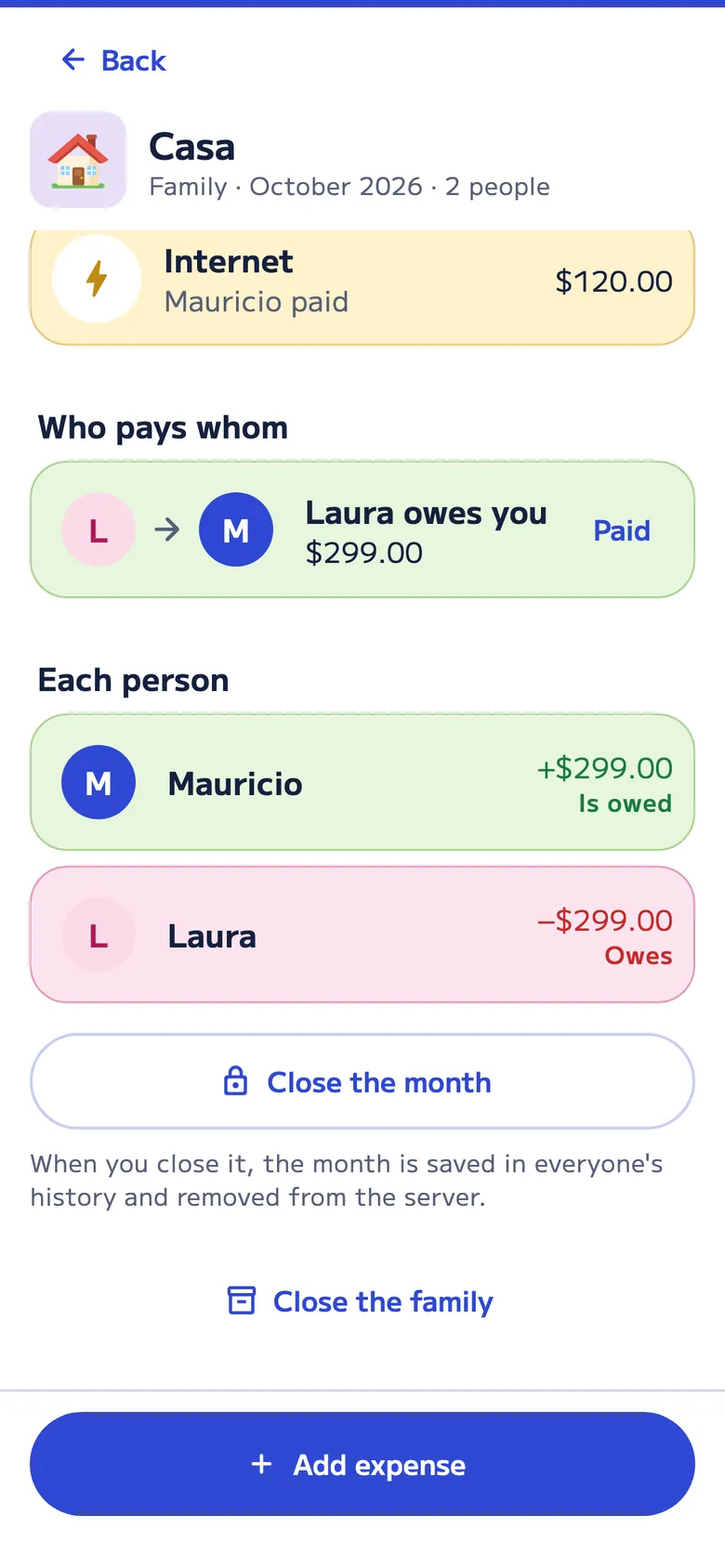
- Close the month. Start a new month with the recurring costs, and choose whether what’s owed is already paid or carries to next month.
- Up to 5 years of history. With Pro, add any past months that are missing and download the whole history as Excel or PDF. Kept it in Excel? Upload it on the web and AI sorts it by month.
- Changes with approval. What others add to a past month waits for approval until whoever manages the account accepts it.
- Family or roommates. Roommates is for a shared apartment; the accounts work the same way.
An example
Mauricio and Laura, 60% and 40%
They agreed to split based on their income. In October each of them paid for different things.
| Expense | Paid by | Amount |
|---|---|---|
| Rent | Mauricio | $1,000.00 |
| Internet | Mauricio | $60.00 |
| Groceries | Laura | $410.00 |
| Vet | Laura | $47.50 |
| Month total | $1,517.50 |
Mauricio’s share is 60% ($910.50) and he paid $1,060.00; Laura’s is 40% ($607.00) and she paid $457.50. When they close October, Laura pays Mauricio $149.50.
Groceries
The grocery list, shared by everyone
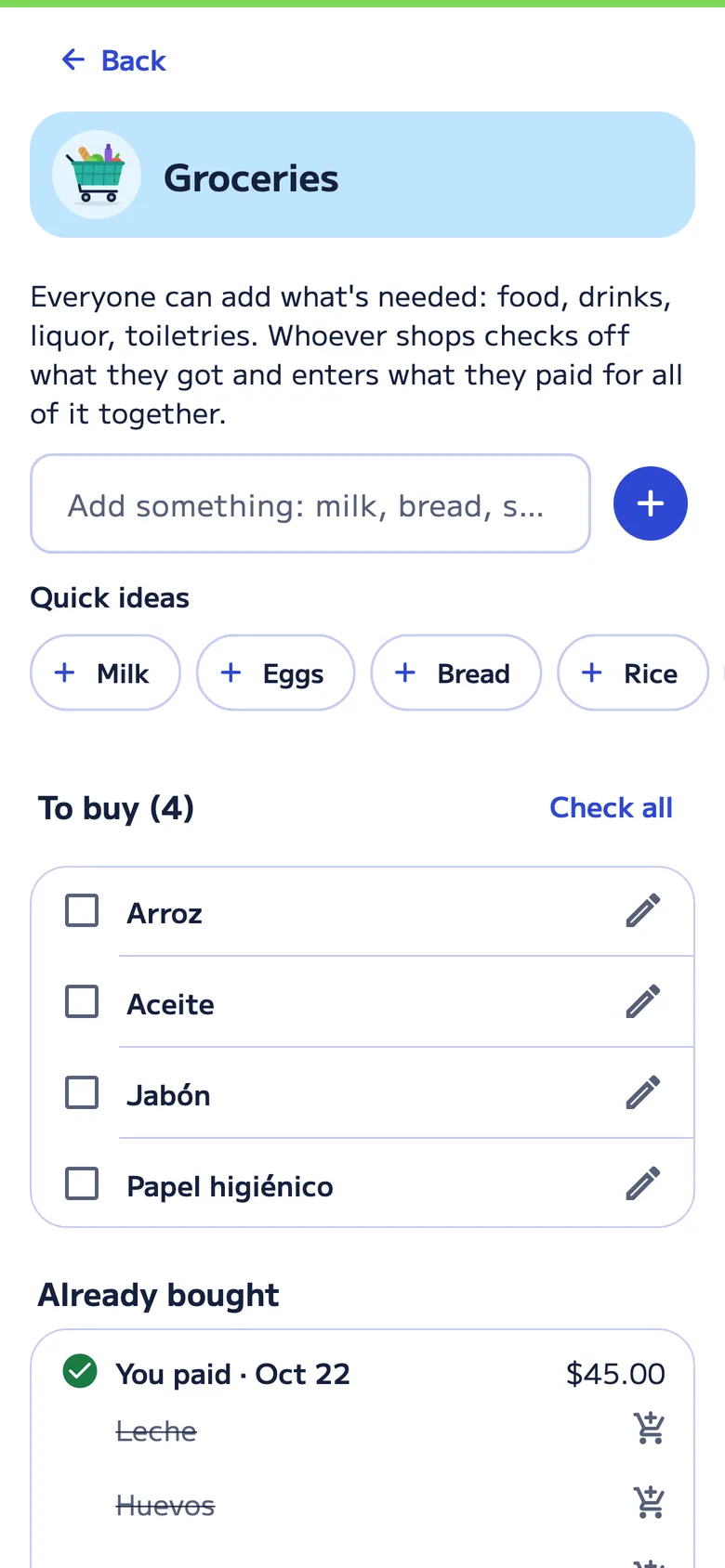
Everyone adds what the house needs: food, drinks, toiletries. Whoever shops checks off what they got and enters one amount for everything together; it becomes a Groceries expense and is split like the rest.
- Quick ideas. Milk, eggs, bread, rice… added in one tap.
- A red number. It shows how many things are left to buy.
- Each purchase with its date. And who paid for it, so the month adds up.
Also in your browser Pro
Your home, on a big screen
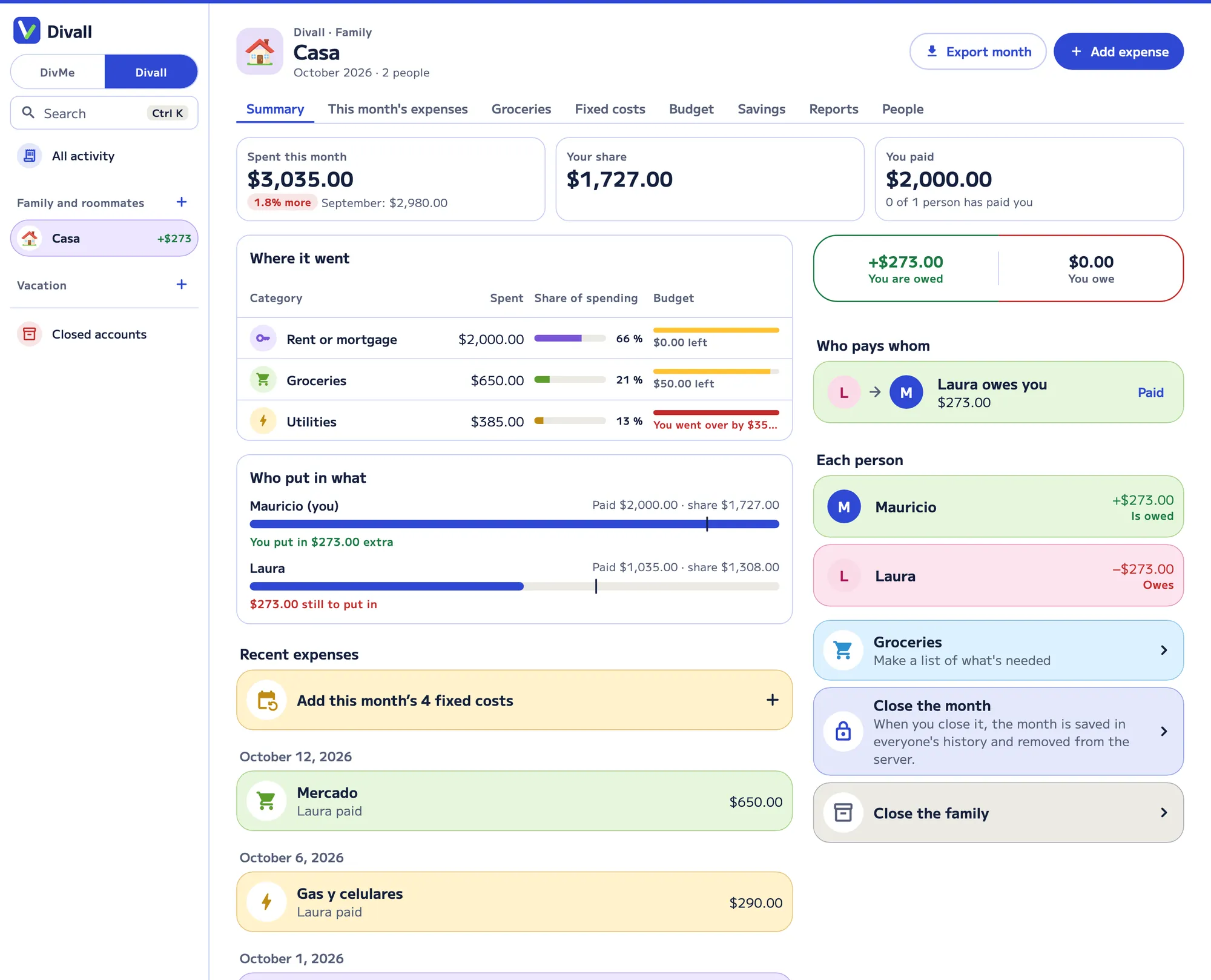
Family accounts on your computer, with the same data as your account: this month with who pays whom, expenses you can search and filter, the budget, recurring costs, history, exporting the month and downloading the whole history as Excel or PDF.
FAQ
About household expenses
Can we split based on what each person earns?
Yes. Choose the “By percentages” agreement, for example 60% and 40%. It applies to every household expense, and you can change it on a single expense.
Do I have to log the rent every month?
No. Recurring costs, like rent and bills, add themselves every month.
What happens to what’s owed when you close the month?
When you close the month, you choose whether everything is paid or what’s owed carries to next month. The new month starts with the recurring costs.
Does it work for roommates who aren’t family?
Yes. When you create the account, you choose family or roommates; the accounts work the same way.
Is Family and roommates free?
It comes with Divall Pro, with 7 days free to try it. With Pro you can also see it in your browser.
More ideas in the guide how to split expenses with roommates or, for couples, how to split expenses as a couple.
For every occasion
Divall also splits
-

Food and drinks
Breakfasts, lunches, dinners and coffees: what you order, who had it and who paid, and the tip.
-

Nights out
A night out, the bar or a party: several costs paid by different people, and groups that only pay their own.
-

Vacation Pro
Costs by day, kids who pay half, families who pay together, costs in another currency and the trip’s groceries.
-

Gifts
The list of what to buy, who buys it and how much each person chips in.
-

Events
The barbecue or family get-together: who brings what and how the accounts end up.
-

DivMe, your month
Income, spending, small spending, recurring costs and cards: what you have left this month.