Food and drinks
Split the restaurant bill by what each person ordered
Pizza for everyone, wine for two and a lemonade for the one who doesn’t drink. Divall splits every item and the tip, and tells you who owes whom.
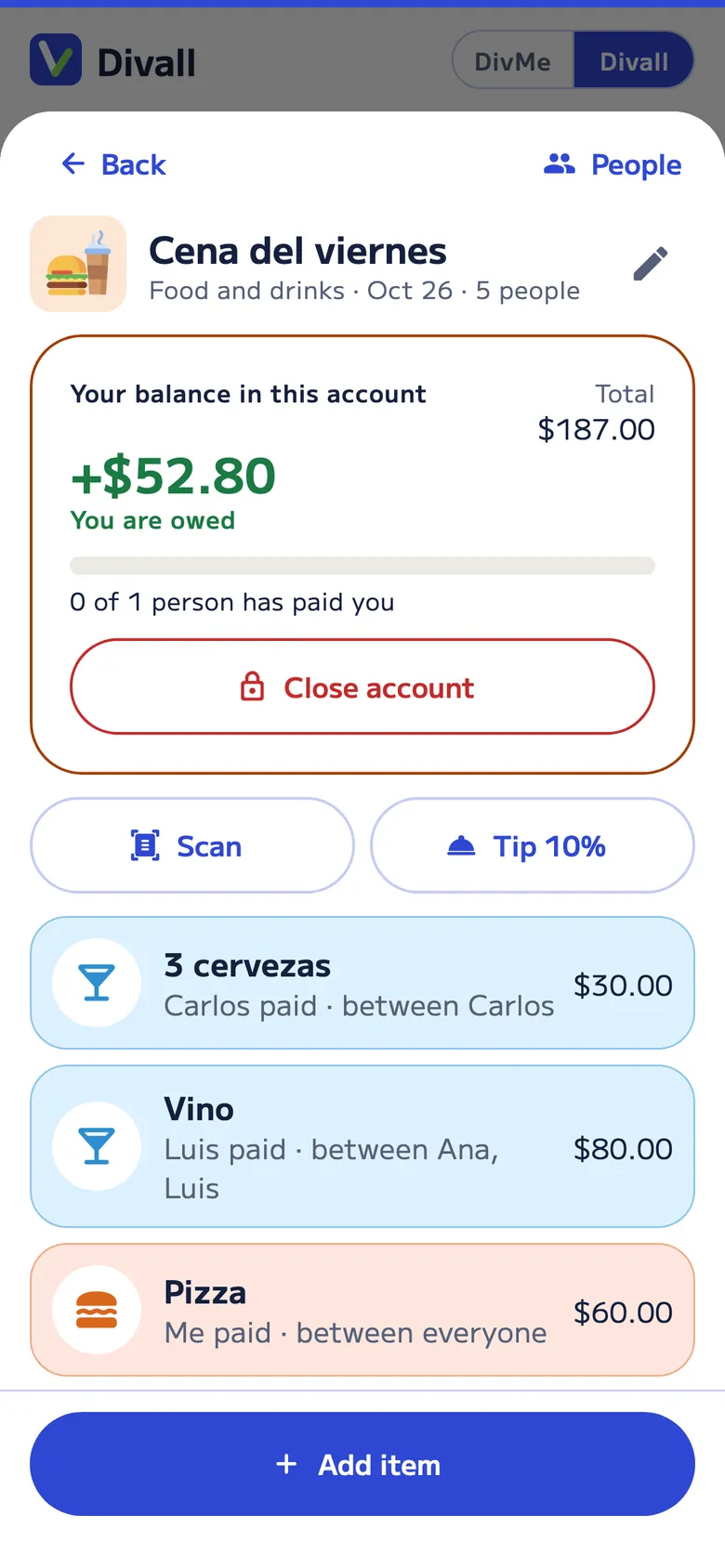
How it works
From the table to “Paid” in three steps
No calculator or spreadsheet at the table.
-
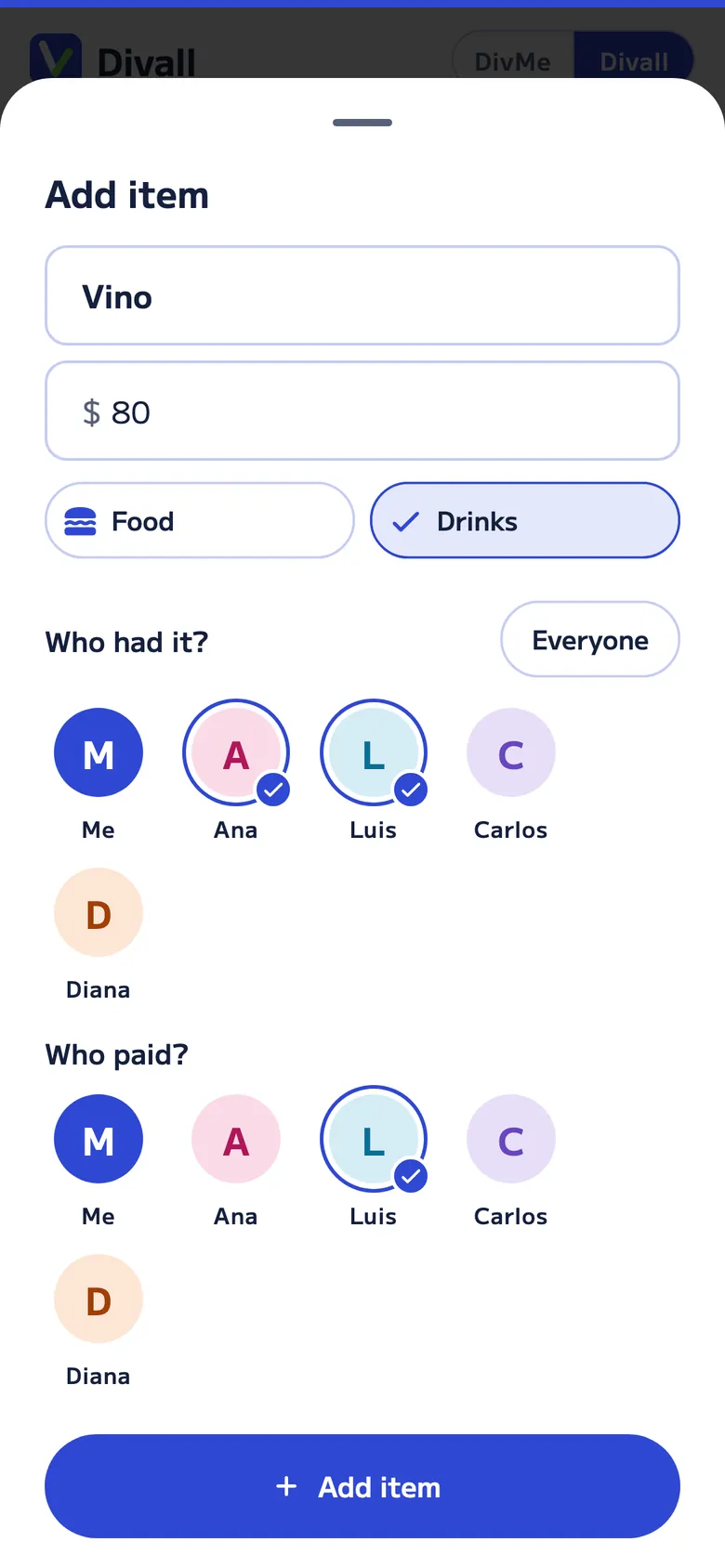
Add things as you order
Create the account with everyone at the table and add each item: who had it and who paid for it. Got the receipt? Tap Scan and we read it for you, and its items stay together under it.
-
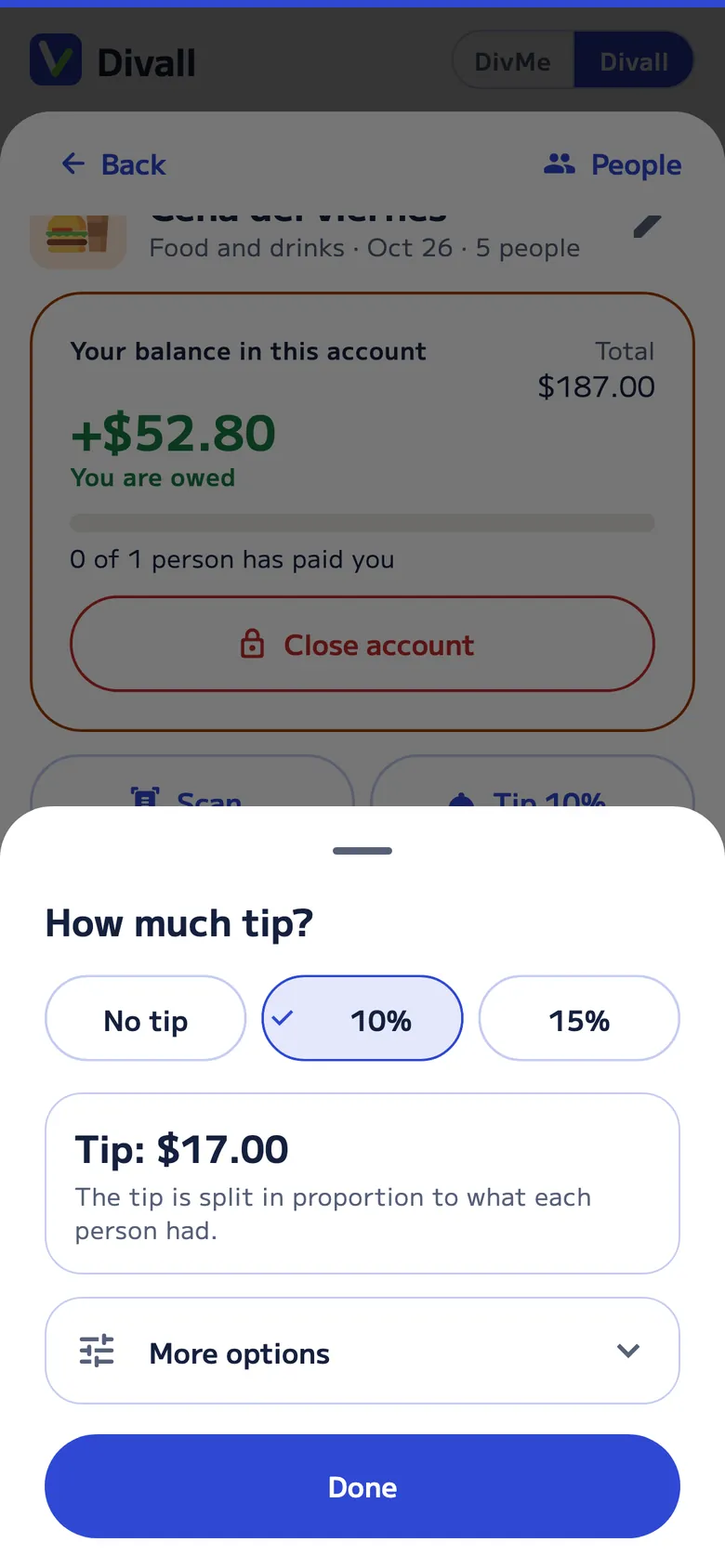
The tip and who’s treating
No tip, 10%, 15% or another percentage: it’s split in proportion to what each person had. If someone’s treating, they cover what their guests had.
-
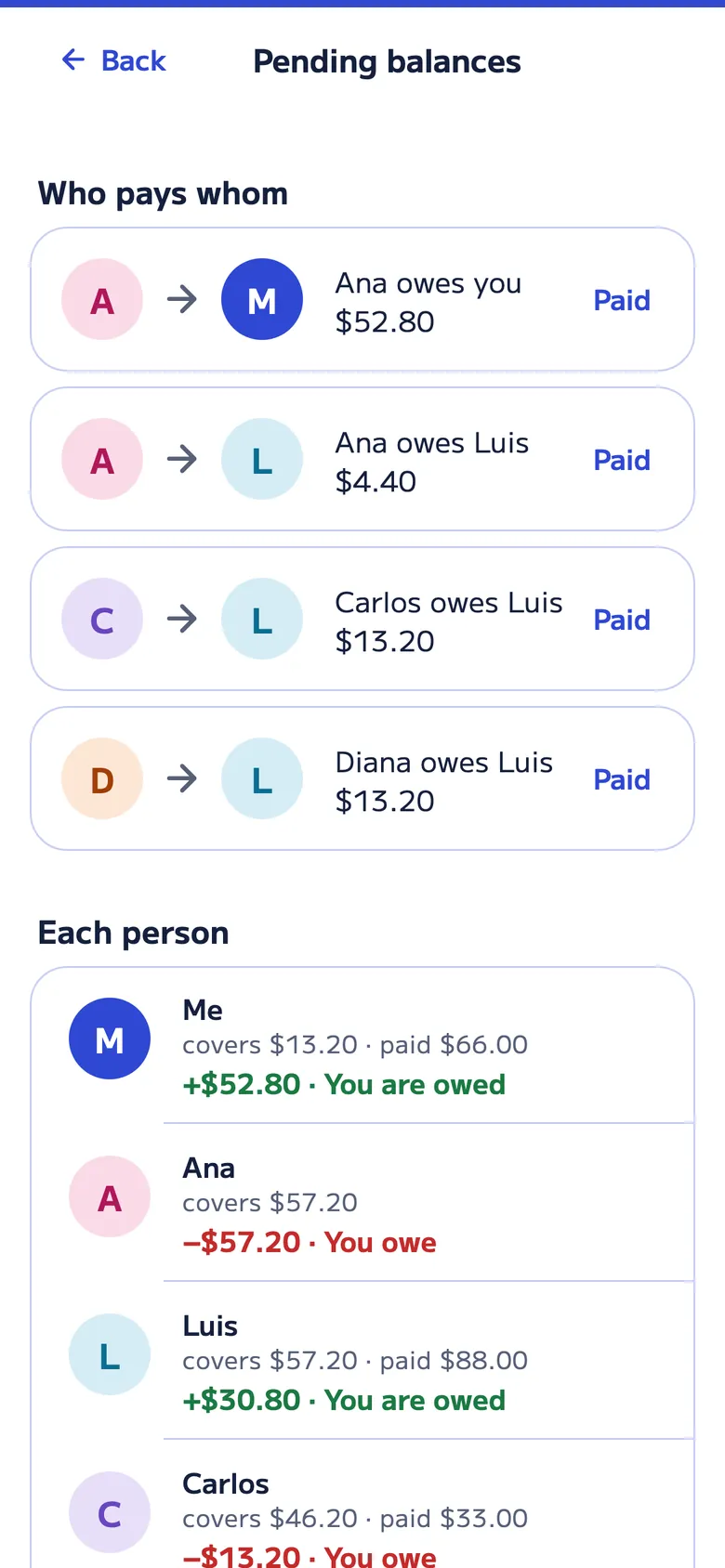
Everyone knows what they owe
“Close account” shows who pays whom, so you can share it before closing. When someone pays you, you confirm it with “Paid”, and the bell in the app shows what’s still pending.
An example
Why not just split it evenly
Four friends, one pizza for everyone, a bottle of wine for two and two lemonades. Ana paid the bill and they left a 20% tip.
| Who | Had | Subtotal | Tip | Pays |
|---|---|---|---|---|
| Ana | Pizza (¼) and wine (½) | $30.50 | $6.10 | $36.60 |
| Luis | Pizza (¼) and wine (½) | $30.50 | $6.10 | $36.60 |
| Diana | Pizza (¼) and lemonade | $12.50 | $2.50 | $15.00 |
| Carlos | Pizza (¼) and lemonade | $12.50 | $2.50 | $15.00 |
| Total | $86.00 | $17.20 | $103.20 |
Split evenly, each person would pay $25.80: Diana and Carlos would put in $10.80 extra for wine they didn’t drink. With Divall, Luis pays Ana $36.60, and Diana and Carlos pay her $15.00 each.
The details at the table
What makes the bill add up
-
A fair tip
No tip, 10%, 15% or another percentage. It’s split in proportion to what each person had.
-
Is someone treating?
Whoever treats covers what their guests had; everyone else pays only their own.
-
Receipt photo
Tap Scan and we read the items, prices and tip, and let you know if they add up to the total. A long receipt can be taken in parts, in up to 5 photos. 10 free readings every 30 days.
-
For people without the app
Add anyone by name and share what they owe, or invite them with a QR code, a link or their @username.
-
No signal at the restaurant
Divall works offline: add the dinner even without a connection.
-
Several at once, and groups
Press and hold an item to pick several (or a whole receipt) and split them among some people or a named group, like “Wine people”. And Divall simplifies the debts so there are few payments.
Just want to know how much to leave? Try the tip calculator or read the guide how to split the bill with tip.
FAQ
About splitting the bill
How is the tip split?
In proportion to what each person had: whoever ordered more pays more tip. Choose no tip, 10%, 15% or another percentage, and if the receipt already includes a tip, you can use it.
What if someone is treating?
In People, under “Is someone treating?”, mark who’s treating and whom. Divall adds what their guests had to their share, and everyone else pays only their own.
Does everyone need Divall?
No. Add anyone by name and share what they owe. If you want, invite them with a QR code, a link for any chat or their @username: when they join, they keep what was already assigned to them, see the account on their phone and get their share in DivMe.
Is the receipt photo free?
Yes: the Free plan includes 10 readings every 30 days (receipts, utility bills and statements) across DivMe and your accounts, and Divall Pro includes 300 a month. If you run out, you add the items yourself.
Is Food and drinks free?
Yes. On the Free plan you create up to 20 accounts every 30 days across Food and drinks, Nights out, Events and Gifts, with 2 open at a time, and join as many accounts from others as you want.
For every occasion
Divall also splits
-

Nights out
A night out, the bar or a party: several costs paid by different people, and groups that only pay their own.
-

Vacation Pro
Costs by day, kids who pay half, families who pay together, costs in another currency and the trip’s groceries.
-

Family and roommates Pro
The household month: rent and bills that add themselves, groceries, a budget and closing the month.
-

Gifts
The list of what to buy, who buys it and how much each person chips in.
-

Events
The barbecue or family get-together: who brings what and how the accounts end up.
-

DivMe, your month
Income, spending, small spending, recurring costs and cards: what you have left this month.