Gifts
Chip in for the gift, without chasing anyone
Birthday, Christmas or baby shower. List the ideas with their prices, everyone says “I’ll buy it” and Divall splits what it cost among everyone chipping in.
How it works
From the idea to the wrapped gift
- Name it. If you like, add the occasion, who it’s for and a date.
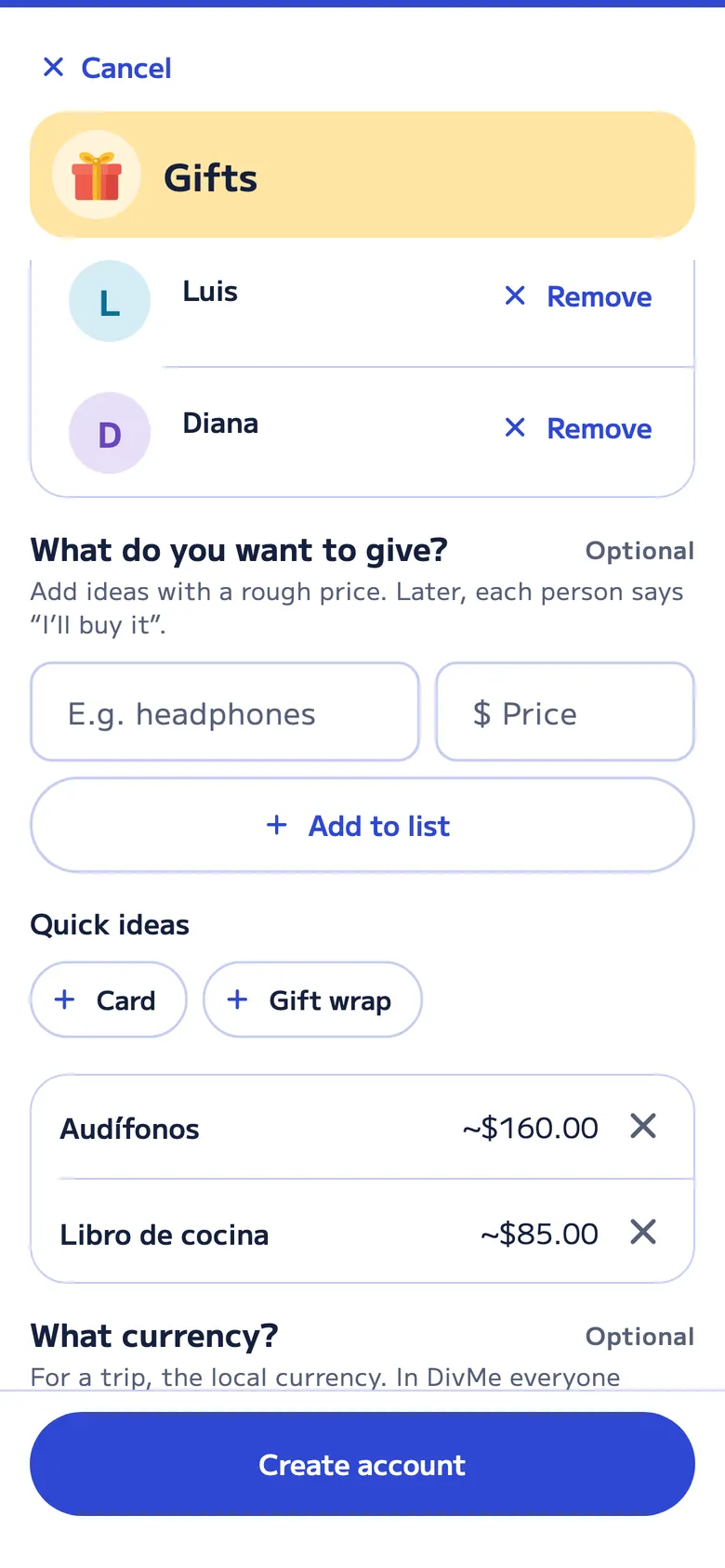
- Who’s chipping in? Add the people taking part. Don’t add the person receiving it, so they don’t find out.
- What do you want to give? Add ideas with a rough price, or use the quick ideas, like a card or gift wrap.
- “I’ll buy it”. Everyone says what they’ll buy. When they mark it as bought, they enter what it cost and it moves to Purchases. Anything someone buys that wasn’t on the list goes on it too, and a red number on the account shows how many things are left.
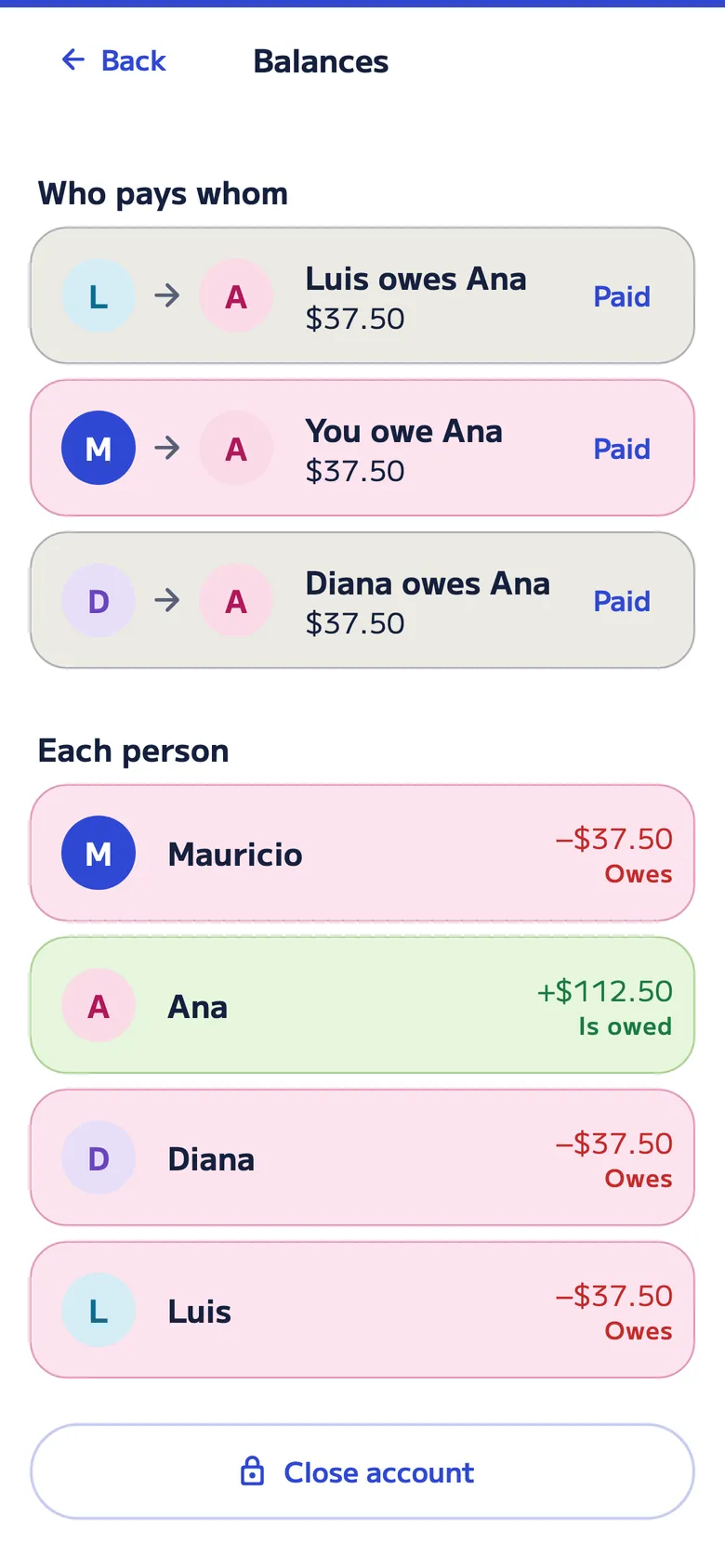
- Who pays whom. Divall splits what it cost among everyone and, under “Close account”, shows how much each person sends to whoever bought it.
An example
Laura’s birthday
Four friends give her headphones. Ana bought them for $150.00.
| Who | Paid | Share | Pays Ana |
|---|---|---|---|
| Ana | $150.00 | $37.50 | — |
| Luis | $0.00 | $37.50 | $37.50 |
| Diana | $0.00 | $37.50 | $37.50 |
| Mauricio | $0.00 | $37.50 | $37.50 |
If someone else buys the card or the gift wrap, it’s added to the expenses and Divall works out the accounts again.
For the gift
Fewer messages in the group chat
-
The list in plain sight
What’s left to buy, who’s taking care of what and the approximate total.
-
How much each person chips in
With the list total, everyone knows roughly what their share will be before anything is bought.
-
“Paid”
Whoever bought it marks who has paid them back, without keeping track somewhere else.
-
The surprise is safe
The person receiving the gift isn’t in the account, so they don’t see a thing.
-
For people without the app
Add them by name and share what they owe.
-
Free
Gifts is on the Free plan: up to 20 accounts every 30 days across Food and drinks, Nights out, Events and Gifts, with 2 open at a time.
FAQ
About group gifts
Can the person receiving the gift find out?
Not if you don’t add them to the account. Divall reminds you when you choose who’s chipping in for the gift.
What if everyone buys part of the gift?
Everyone says “I’ll buy it” on their part and, when they mark it as bought, enters what it cost. Divall splits the total among everyone and shows who pays whom.
Does it work for Christmas or a baby shower?
Yes. The gift list works for birthdays, Christmas, baby showers or any gift from a group.
Is Gifts free?
Yes. On the Free plan you create up to 20 accounts every 30 days across Food and drinks, Nights out, Events and Gifts, with 2 open at a time.
For every occasion
Divall also splits
-

Food and drinks
Breakfasts, lunches, dinners and coffees: what you order, who had it and who paid, and the tip.
-

Nights out
A night out, the bar or a party: several costs paid by different people, and groups that only pay their own.
-

Vacation Pro
Costs by day, kids who pay half, families who pay together, costs in another currency and the trip’s groceries.
-

Family and roommates Pro
The household month: rent and bills that add themselves, groceries, a budget and closing the month.
-

Events
The barbecue or family get-together: who brings what and how the accounts end up.
-

DivMe, your month
Income, spending, small spending, recurring costs and cards: what you have left this month.